 Maestro
 Web
vs Conductor
GitHub
Download
Maestro
Maestro Web
vs Conductor
GitHub
Download
Run a fleet of coding agents. Steer it from your phone.
Claude Code, Codex, and more in parallel, each in its own git worktree. Free on Mac, Windows, and Linux.


Warm neutrals and liquid glass, with a violet accent
some cool looking logos
One window for the whole fleet.
Every agent gets its own branch, chat, terminal, and diff. See who is working, who needs you, and what is done, at a glance.

Hand out work. Glance. Ship.
The whole loop lives in one app, so reviewing an agent never means alt-tabbing to your own tools.


Then walk away.
Your fleet follows you.
Watch, steer, review.
Every workspace mirrors to Maestro Web, live, with a push when an agent needs you. Free with your GitHub sign-in.
Open Maestro Web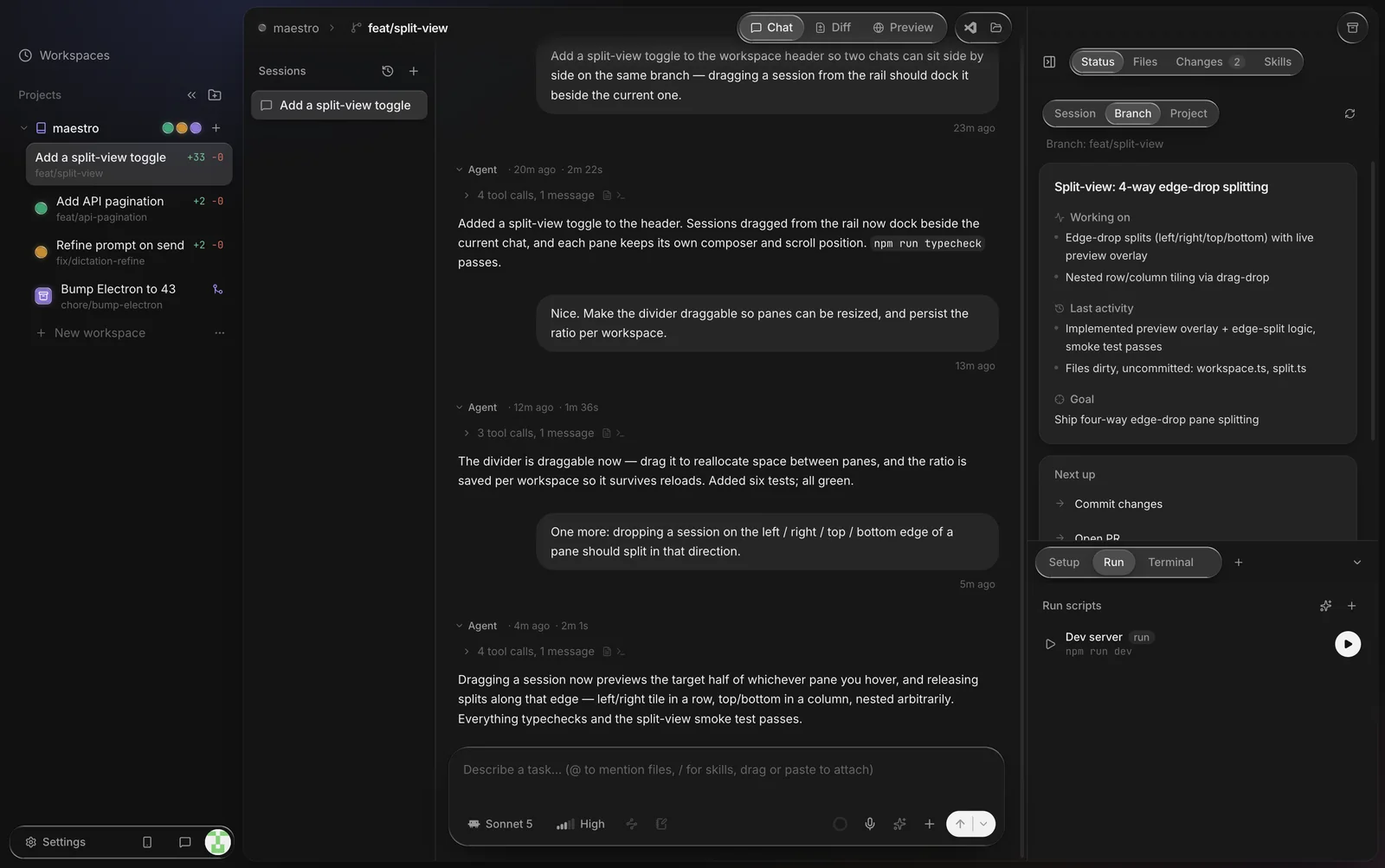


On the phone, Maestro Web shows your whole fleet of workspaces, the live agent conversation, and a syntax-highlighted diff to review.
Your machine. Your keys. Free.
- Agents run on your computer.Each one uses its own CLI with your own subscription or API key. Maestro never sits between you and your provider.
- Nothing to pay.The desktop app and Maestro Web are both free. No card, no seats, no metered compute.
- Private by default.Nothing leaves your machine until you link Maestro Web, and then only the projects you choose, visible only to your GitHub account.
Works with Claude Code, Codex, Cursor, OpenCode, Kimi Code, and Grok Build, or a plain shell. Coming from Conductor? Import in one click.
Fair questions
How do I run several Claude Code or Codex agents at once?
Give each agent its own git worktree: a separate checkout of the same repo on its own branch, so parallel agents never edit the same files. Maestro does this for you. Every new workspace is a fresh worktree with its own branch, terminal, chat, and diff, and there is no cap on how many run at once. To set it up by hand in a terminal, see the guides for Claude Code and Codex.
Which coding agents does Maestro support?
Claude Code, Codex, Cursor's agent CLI, OpenCode, Kimi Code, and Grok Build, plus plain shell workspaces for anything else. Maestro drives the official CLI you already have installed and signed in, so usage bills to your own account. You can mix agents across workspaces in the same repo. More on each: Claude Code, Codex, Cursor, OpenCode.
Does it work on Windows and Linux?
Yes. Maestro runs natively on macOS (Apple Silicon), Windows 10/11 (64-bit), and Linux (x86_64 AppImage), and all three auto-update. Install notes: Windows, Linux.
How is Maestro different from Conductor?
Both give each agent its own worktree. Maestro also runs on Windows and Linux, has no workspace cap, supports more agents, and mirrors every workspace to your phone. If you already use Conductor, "Continue from Conductor" imports your projects in place. Full comparison, or see every tool for running agents in parallel.
Do agents keep running when I close my laptop?
Local agents run on your computer, so they pause when it sleeps. Keep it awake, or add an always-on machine as an SSH remote project: turns there run on the server and keep going with the laptop shut, and Maestro catches up when you reconnect. Either way, Maestro Web lets you check in from your phone. More options.
Can I really run this from my phone?
Yes. Maestro Web is a mobile web app. Install the desktop app, sign in with GitHub on both, and link them once. Every workspace on your computer then shows up on your phone: watch agents work in real time, read the transcript, review the diff, and send or queue the next task. Add it to your home screen and it behaves like an app, with push notifications when an agent finishes or needs you.
Is Maestro free? What is the catch?
The desktop app and Maestro Web are both free: no subscription, no card, no per-seat pricing. There is no catch, because the agents still run on your own hardware and bill through your own provider accounts. The relay only carries the transcripts and diffs your desktop sends up, so your phone has something to show.
Does my code leave my machine?
By default, no. Maestro runs agents locally with your own credentials, and nothing is uploaded. Maestro Web is opt-in: a linked desktop mirrors transcripts, diffs, and status over HTTPS to Maestro's relay, visible only to your GitHub account. You choose which projects sync, and unlinking (or "Reset Maestro Web") purges everything. Agents still talk only to their own providers, exactly as in a terminal.
What does Maestro phone home?
Two anonymous counts, so I know it is being used at all: the app sends app_opened when it launches, and this page counts download clicks. No code, no prompts, no file paths, no cookies. That is the complete list.
Why does Windows warn me about the installer?
The Windows build is not code-signed yet, so SmartScreen shows "Windows protected your PC" on first run. Choose More info, then Run anyway. The macOS build is signed and notarized with Apple.
How do updates work?
The app updates itself from a public feed, the same feed this page's download buttons read, so what you download is always the current build. The version and date on this page are live from that feed.
I built Maestro because I was running four coding agents in four terminal tabs and kept losing track of them. I also wanted to check on them away from my desk, so it grew a phone.
It is built with itself: every release is written by agents running inside Maestro, reviewed before merge. If it breaks, or makes your week, I would like to hear about it.