Maestro vs cmux
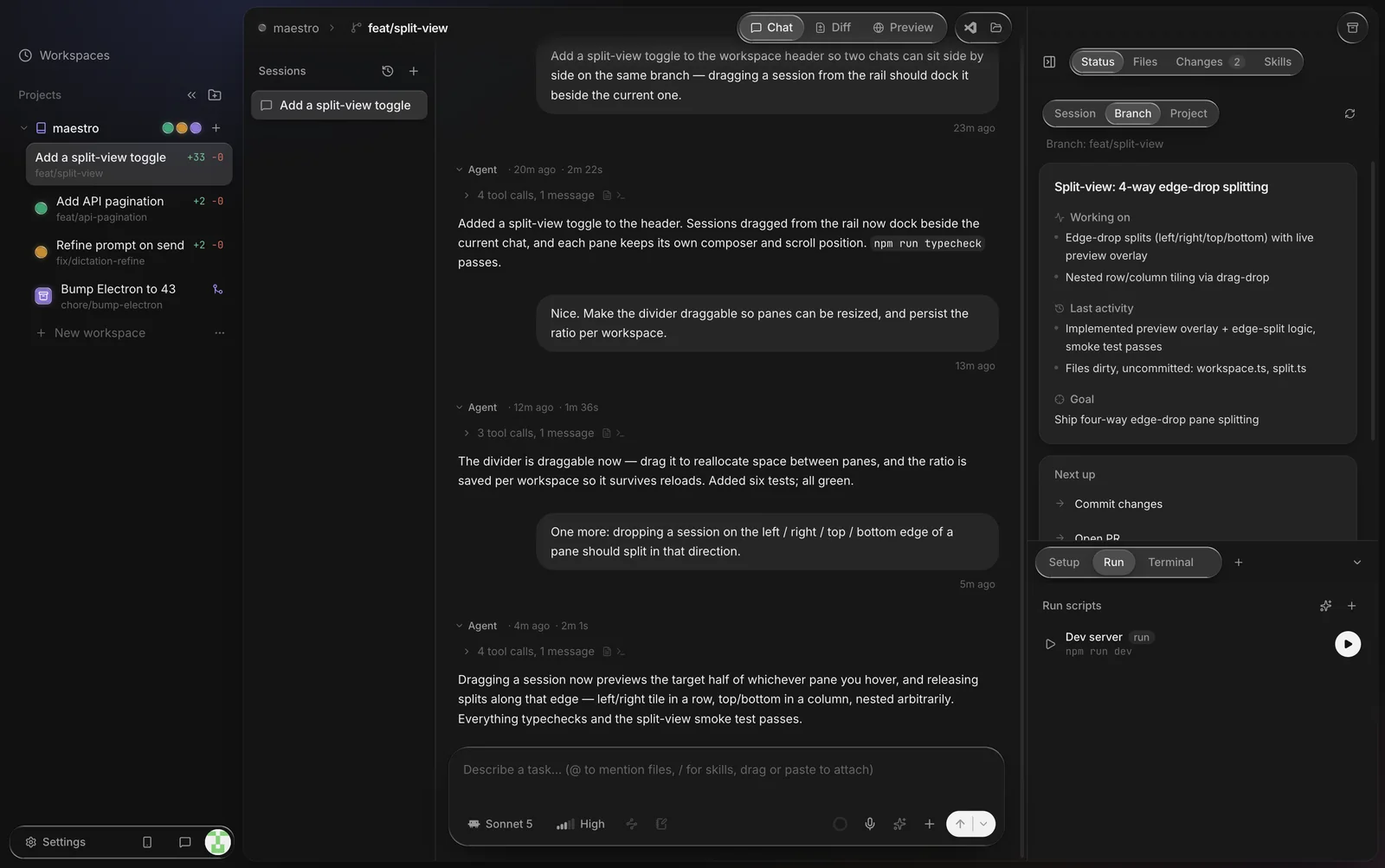
Both are built for running many coding agents at once, but they are different kinds of tool. cmux is a native macOS terminal that keeps agent sessions organized. Maestro is an agent app that gives each task its own git worktree, then lets you review the diff and open the PR, on Mac, Windows and Linux.
cmux describes itself as "the terminal built for multitasking, organization, and programmability". It is built on libghostty, the engine behind the Ghostty terminal. It adds vertical tabs, split panes, notification rings when an agent needs you, an in-app browser, and a socket API for scripting. It is free, GPL-licensed and very popular, with more than 28,000 GitHub stars as of October 2026. The table below shows the short version of how the two compare.
| Maestro | cmux | |
|---|---|---|
| Platforms | macOS (Apple Silicon), Windows 10/11, Linux (x86_64) | macOS only: "macOS only, for now"1 |
| What it is | Desktop app for running coding agents on tasks, one workspace per task | Native terminal with workspaces, splits and a browser1 |
| Coding agents | Claude Code, Codex, Cursor, OpenCode, Kimi Code and Grok Build built in; anything else in a plain shell workspace | Any agent that runs in a terminal, e.g. Claude Code, Codex, OpenCode, Gemini CLI, Aider, Amp1 |
| Git worktrees | Created for you: each workspace gets a fresh worktree and branch from the latest remote | Not built in. cmux calls itself "not Git-first"; you set up branches and worktrees yourself2 |
| Review and PRs | Diff view with inline comments sent back to the agent, PR creation, checks, merge-conflict help | None built in. You use git, gh or your editor in a pane |
| Knowing who needs you | Live status per workspace in the sidebar and a desktop notification when an agent finishes or needs you | Notification rings on panes, unread badges, jump-to-latest-unread, desktop notifications1 |
| From your phone | Maestro Web, free, in any phone browser (Android too) | iOS app in beta on TestFlight; early access comes with the paid Founder's Edition1 |
| Other machines | Projects can be SSH remotes (incl. ProxyCommand/ProxyJump) | SSH workspaces; attach to remote tmux sessions (beta)1 |
| Scripting | No general scripting API | CLI, Unix socket API, browser automation, agent hooks2 |
| Built with | Electron | Native Swift and AppKit on libghostty; reads your Ghostty config1 |
| Price and license | Free; source-available (BSL-1.1) | Free; open source (GPL); optional paid Founder's Edition1 |
1. Per cmux.com and the cmux README, checked October 16, 2026.
2. Per cmux's own comparison with Conductor, checked October 16, 2026.
Where cmux is the better pick
- You live in the terminal. cmux is a terminal first. It never puts a workflow between you and your shell, and it reads your existing Ghostty config for themes and fonts.
- You want native speed on a Mac. cmux is a Swift/AppKit app. Maestro is an Electron app.
- Your agent isn't on Maestro's list. Anything that runs in a terminal works in cmux, including Gemini CLI, Aider and Amp. In Maestro, agents outside its list run in a plain shell workspace without the chat view.
- You script your setup. cmux's CLI and socket API can create workspaces, split panes, send input, read the screen and drive the browser.
- You want GPL open source. cmux is GPL-licensed. Maestro's code is public under BSL-1.1, which is source-available but not OSI open source.
Where Maestro is the better pick
- You are on Windows or Linux. cmux is macOS only. Maestro has native Windows and Linux builds that auto-update.
-
You want the worktrees handled for you. Describe a task and Maestro
cuts a fresh git worktree and branch from the latest remote, then starts the agent in it.
Parallel agents never edit the same checkout, and you never type
git worktree add. - You want to review and ship in the same window. Read each workspace's diff, comment on specific lines, and send the comments back as the agent's next message. Then open the pull request, watch its checks and get help with merge conflicts, all without leaving the app.
- You want an app that knows your agent. Maestro reads each agent's model list, effort levels and plan mode, so you pick them per workspace instead of typing flags. It turns an agent's output into a readable chat with tool calls and file changes. See Claude Code and Codex.
- You want your agents on your phone for free. Maestro Web runs in any modern phone browser, Android included. Watch turns live, reply, review diffs, and get a push notification when an agent is done. Agents keep running on your own machine.
- You are coming from Conductor. "Continue from Conductor" imports your Conductor projects and workspaces in place. See Maestro vs Conductor.
Using both
The two don't conflict. Every Maestro workspace is an ordinary git worktree on disk, so you can open one in a cmux pane and run tools there while Maestro's agent works on it. Maestro also gives each workspace its own terminal, so if a Mac terminal is your favorite part of cmux, keep using it alongside Maestro.
FAQ
Does cmux run on Windows or Linux?
No. As of October 2026, cmux's README says "macOS only, for now". If you want a tool for running coding agents in parallel on Windows or Linux, Maestro runs natively on both, as well as on macOS.
Does cmux create git worktrees for each agent?
Not by itself. cmux's own comparison page calls it "not Git-first": you build branch and worktree workflows from its terminal, workspace and socket tools. Maestro creates a worktree for every workspace. To do it by hand, see how to run Claude Code in parallel with git worktrees.
Are cmux and Maestro free?
Yes, both. cmux sells an optional Founder's Edition with early access to its iOS app, cmux AI and cloud VMs. Maestro has no paid tier, and Maestro Web is free too. With either one, you bring your own agent accounts, such as a Claude or ChatGPT plan or API keys.
Which one works on Android?
Maestro Web runs in the phone's browser, so Android works. cmux's mobile app is an iOS beta as of October 2026.
What else is out there?
See our overview of tools to run coding agents in parallel, including Superset and Claude Squad.
Sources (checked October 2026)
- cmux.com: description, supported agents, notifications, browser, iOS beta, pricing
- github.com/manaflow-ai/cmux: platforms ("macOS only, for now"), Swift/AppKit and libghostty, GPL license, Founder's Edition, star count
- cmux.com/compare/cmux-vs-conductor: "not Git-first", CLI and socket API
Maestro is an independent project, not affiliated with cmux or Manaflow. cmux details come from its public site and repository as of October 16, 2026; if something is out of date, check their site.